STROKOVNO SVETOVANJE
od 9. do 15. ure



Ni izdelkov
Brezplačna dostava! Dostava
0,00 €Cena skupaj
Izdelek je bil uspešno dodan v vašo košarico
( ks)
Nakupite še za in imate brezplačno dostavo
Imate brezplačno dostavo!
*334 467
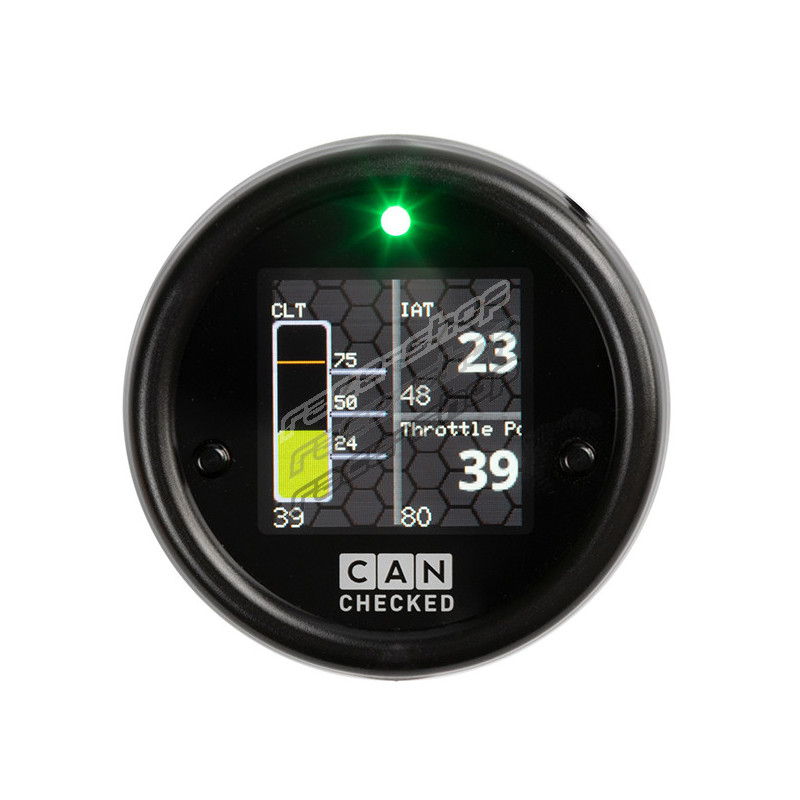
With the CANchecked Display MFD15 Gen2 OBD for your car, you always have all relevant values in view.
Nov izdelek
CC01012

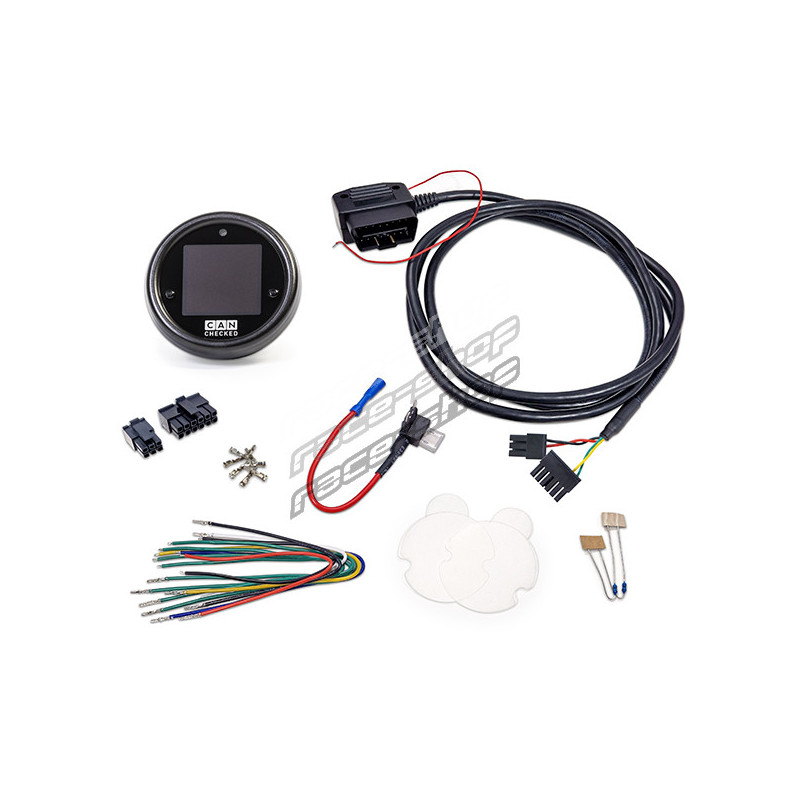
CANchecked display MFD15 Gen2 incl OBD2 cable
With the CANchecked Display MFD15 Gen2 OBD for your car, you always have all relevant values in view.
Vprašanje o tem izdelku pošljite lastniku trgovine.
* Obvezna polja
ali Prekliči
CANchecked display MFD15 Gen2 incl OBD2 cable
To be informed about product update via email, fill out the form.
* Required
or Cancel
With the CANchecked Display MFD15 Gen2 OBD for your car, you always have all relevant values in view.
The MFD15 Gen2 is equipped with an OLED screen, which offers the best readability even in direct sunlight. The outer diameter of 52 mm fits our vehicle-specific holder as well as the most commercially available bezels for the interior. It is operated with the two push buttons on the faceplate or with the separately available rotary knob.
Choose up to eight pages of different views and customize your display to best suit you and your vehicle:
Brand new with our MFD15 Gen2 is access to the device via WiFi. So you can set up the MFD15 Gen2 via smartphone or PC.
With the oDSS you can set your display completely, log values (license required), upload your own startup image and also update the display.
A popular customer question is: "Which values can I request from my ECU". The answer: "ALL" - your new MFD15 Gen2 is compatible with ISO 11898-2 and SAE J2284.
The ECU manufacturers themselves determine which values are sent via the CAN bus interface. Here the documentation is important - possibly even in the form of a DBC file that can be imported via our DSS. Of course, as a customer, you can access our extensive list of already implemented ECUs. In total, depending on the manufacturer, up to 64 sensors can be queried.
Of course, OBD2 queries via Can Bus (11bit/29bit) are also implemented. Vehicle specific protocols like UDS or TP2 are also available.
Included by default are:
- OBD2 - 11 and 29bit
- Ecumaster - Classic and Black
- VAG PQ34
- Haltech v2
- LinkECU
- MaxxECU
- Motec M1
- Emtron
- Megasquirt 2 and 3
If the desired ECU is not listed, you can download or request the appropriate TRI/TRX from our database.
For all VAG-cars from year of manufacture 2008 (in individual cases also older) we offer in-depth data queries by protocol. Values like oil temperature, boost pressure, transmission temperature, cylinder selective ignition angle return, high/low pressure, wastegate actuation and much more can be queried and displayed.
The internal LED can be used as a shift light as well as a warning LED.
As a shift light you can assign up to 8 different colors and speed limits as well as the speed at which the shift light starts to flash.
When configuring as a warning LED, you can assign a minimum and maximum value for each sensor. If the sensor is above the maximum value or below the minimum value, the LED flashes in the previously configured colour. The shift light is deactivated during the warning period.
Included with every delivery:
Any sensors can be connected via the six analog inputs - we support linear 0-5V as well as NTC sensors.
The characteristic curves of our in-house CANchecked sensors are stored in the display by factory default and work plug&play:
For the connection you can use our pre-assembled 4-way AIN harness.
If you have the appropriate license* you can additionally connect an ethanol sensor directly to the display via a separate pin.
With the additional license "Live Logging", your display can log the data of the sensors into the oDSS. Then you can download the log as a file to your smartphone or PC.
All sensors are logged in the log (ATTENTION: for OBD and UDS only the currently displayed ones!). Select the sensors you want to display graphically.
With the additional license for the ethanol sensor, you connect the sensor directly to the display. You need a pullup resistor (10K) between 5V and the signal.
Now you can see the ethanol content as well as the fuel temperature and also log it.
With the additional license for Can Switching and AIN forwarding you can use the keys of your display or the rotary knob to switch Can Switches and apply the input voltages of your analog inputs to the Can Bus.
Choose up to eight pages of different views and customize your display to best suit you and your vehicle:
Brand new with our MFD15 Gen2 is the access to the device via WLAN. So you can set up the MFD15 Gen2 via smartphone or PC.
With the oDSS you can set your display completely, log values (license required), upload your own startup image and also update the display.
A popular customer question is: "Which values can I request from my ECU". The answer: "ALL" - Our MFD15 Gen2 is compatible with ISO 11898-2 and SAE J2284.
The ECU manufacturers themselves determine which values are sent via the CAN bus interface. Here the documentation is important - possibly even in the form of a DBC file that can be imported via our DSS. Of course, as a customer you can access our extensive list of already implemented ECUs. In total, depending on the manufacturer, up to 64 sensors can be queried.
Of course, OBD2 queries via Can Bus (11bit/29bit) are also implemented. Vehicle specific protocols like UDS or TP2 are also available.
Included by default are:
- OBD2 - 11 and 29bit
- Ecumaster - Classic and Black
- VAG PQ34
- Haltech v2
- LinkECU
- MaxxECU
- Motec M1
- Emtron
- Megasquirt 2 and 3
If the desired ECU is not listed, you can download or request the appropriate TRI/TRX in our database.
For all VW/Audi from year of manufacture 2008 we offer in-depth data queries by protocol. Values like oil temperature, boost pressure, transmission temperature, cylinder selective ignition angle return, high/low pressure, wastegate actuation and much more can be queried and displayed.
The internal LED can be used as a switching flash as well as a warning LED.
As a switching flash you can assign up to 8 different colors and speed limits as well as a speed at which the switching flash starts to flash.
As a warning LED you can assign a min and max value for each sensor (in the oDSS via "Sensors") and also activate the "LED" there. If the sensor is above the maximum value or below the minimum value, the LED will flash in the previously configured color. The switching flash is deactivated during the time of the warning.
Included with every delivery:
Any sensors can be connected via the six analog inputs - we support linear 0-5V as well as NTC sensors.
Our in-house CANchecked Dsiplay sensors are stored in the TRI/TRX files by default and only need to be connected:
For the connection you can use our pre-assembled 4-way AIN harness.
If you have the appropriate license* you can additionally connect an ethanol sensor directly to the display via a separate pin.
With the additional license "Live Logging", your display can log the data of the sensors into the oDSS. Then you can download the log as a file to your smartphone or PC.
All sensors are logged in the log (ATTENTION: for OBD and UDS only the currently displayed ones!). Select the sensors you want to display graphically.
With the additional license for the ethanol sensor, you connect a sensor directly to the display. You need a pullup resistor (10K) between 5V and signal.
Now you can see the ethanol content as well as the fuel temperature and also log it.
With the additional license for Can Switching and AIN forwarding you can use the keys of your display or the rotary knob to switch Can Switches and apply the input voltages of your analog inputs to the Can Bus.
| vrsta | Displays |
This discussion is especially meant for information exchange between customers. For questions regarding your order or stock availability, please contact us directly.





Ni proizvajalca